PMDG Operations Center 3
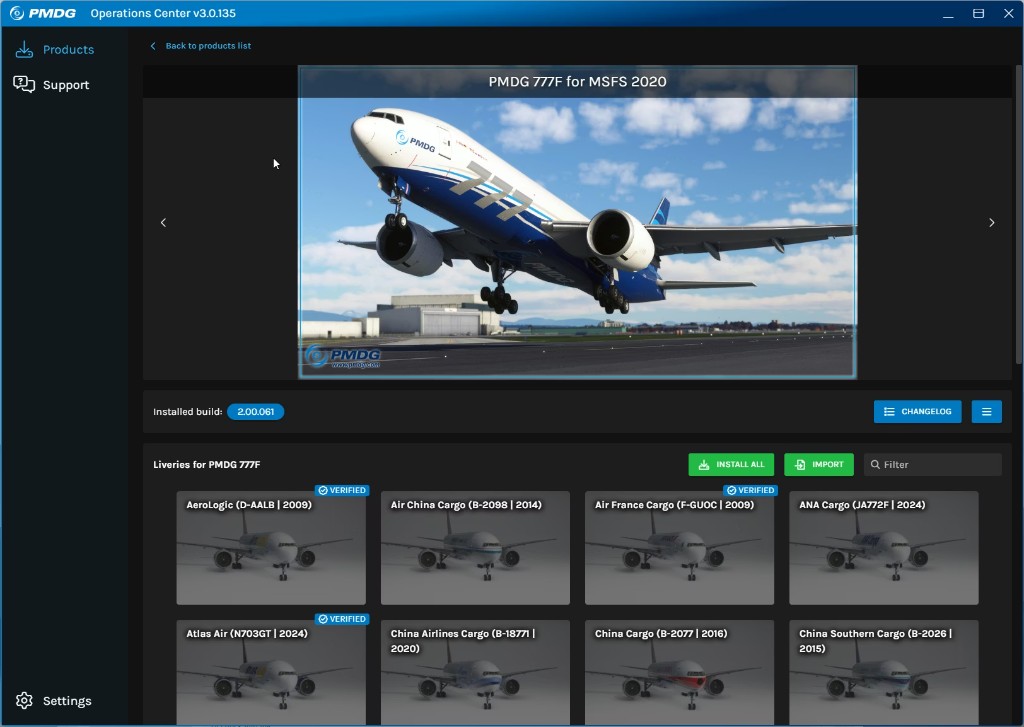
After purchase, X-Shop provides a ready PMDG account. Install Operations Center 3, sign in, and download your aircraft.
Орташа~20 мин
Қадамдық нұсқаулық
- After payment, open your X-Shop email or Telegram message — it contains the PMDG account login and password.
- Download PMDG Operations Center 3 from pmdg.com and install it.
- Launch Operations Center 3 and sign in with the email and password from the store message.
- Under My Products, select your purchased aircraft and click Install (or Download).
- Choose your Microsoft Flight Simulator folder if prompted and wait for the installation to finish.
- Install updates and optional liveries from the same OC 3 window if needed.
- Launch MSFS and select your installed PMDG aircraft.
Егер бірдеңе дұрыс болмаса
VPN, антивирус және орнату жолын тексеріңіз. «Жиі кездесетін қателер» бөлімі тезірек көмектеседі.
Жиі кездесетін қателер →Бұл нұсқаулық пайдалы болды ма?